What is on the tube
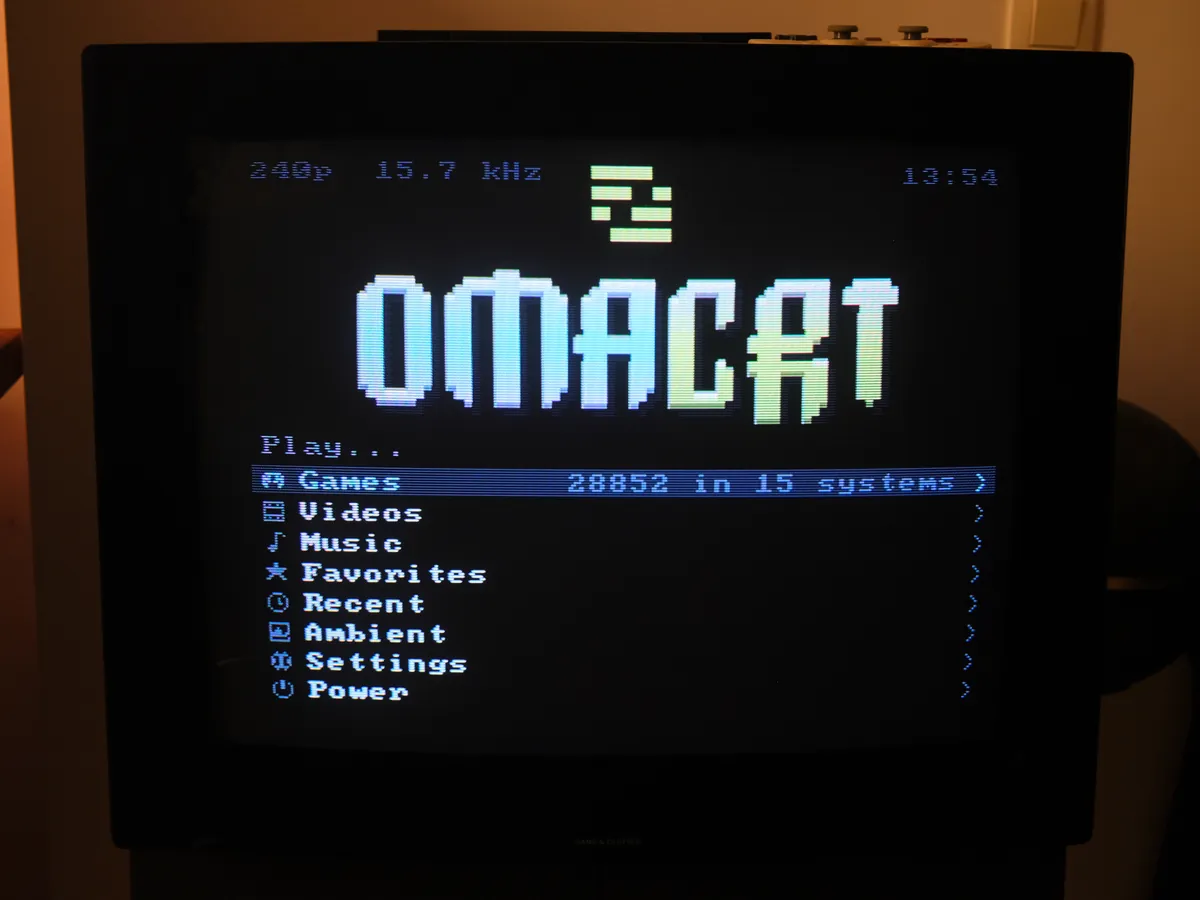
The launcher plays games, music and video on the CRT. When idle, it can show weather, photographs, system activity or paintings. This chapter describes those screens and their controls.
Unless a caption identifies a photograph, images in this chapter are captured from the launcher’s 320 by 240 framebuffer before it reaches the cable.
The collection
Systems appear when they have games in them, each with a picture of the console. Box art comes from the libretro thumbnail sets, matched by title and by content, so a collection whose files were never renamed still gets its covers. Arcade files named after the emulated set, mslug rather than Metal Slug, are read through the databases RetroArch already ships. Those lists show real titles and find their art too.
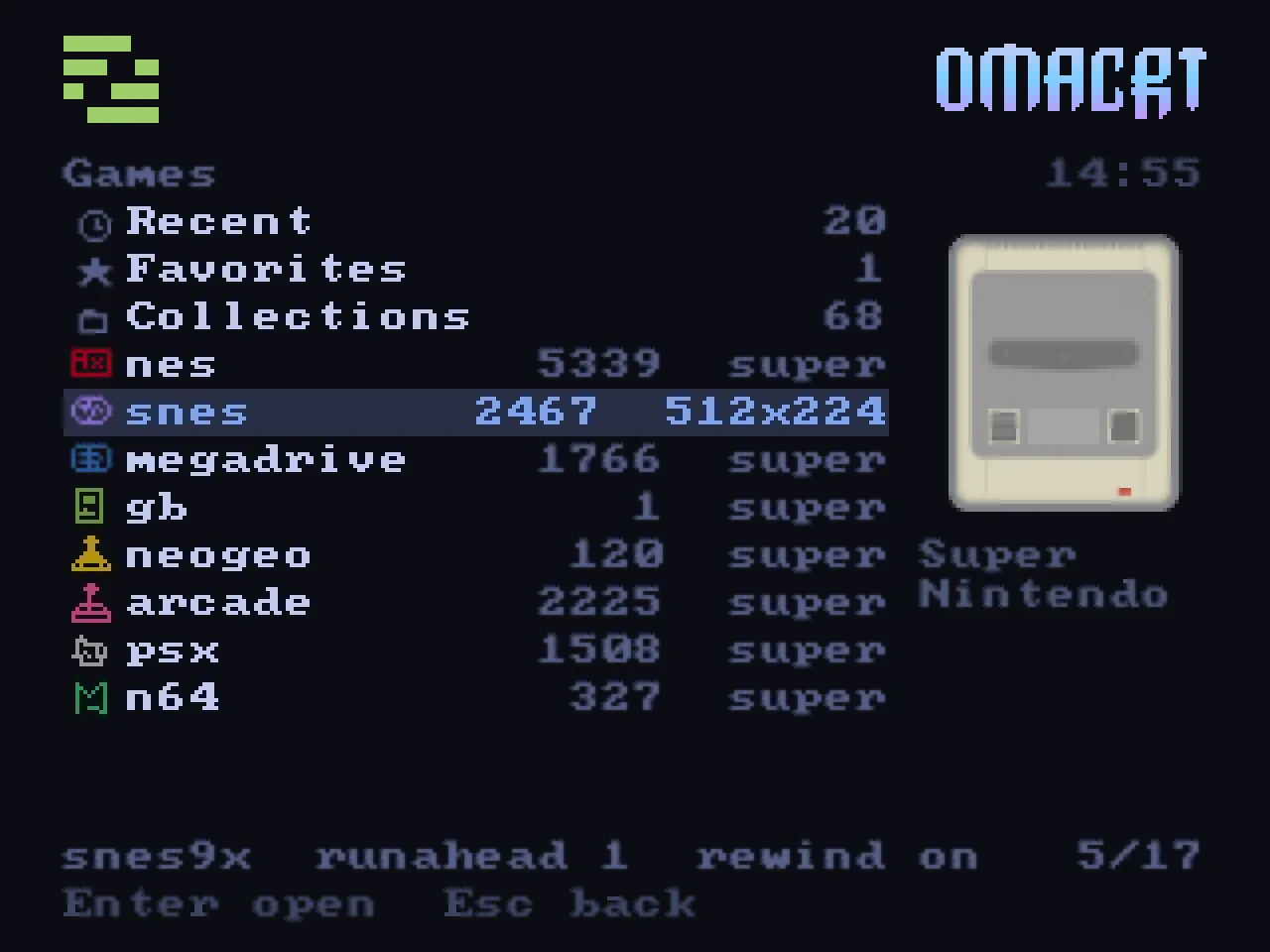
Press / to filter the current list as you type. From the home menu, search covers the whole collection. On the tested collection, tens of thousands of titles return within a frame. On a pad, the left trigger opens search with an on-screen keyboard; shoulder buttons jump by initial letter.
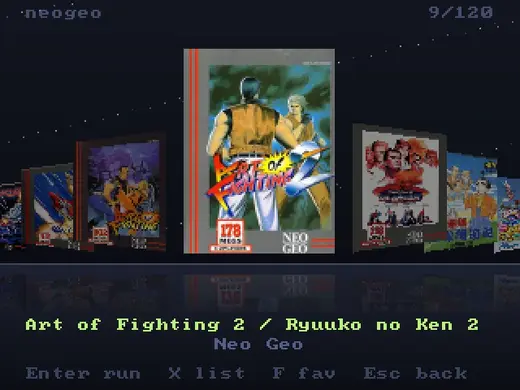
Pressing X on a game opens the cover flow. The selected cover stands large on a shelf, its neighbours recede at an angle, everything is mirrored on the floor below, and the whole shelf slides with inertia when you push it.
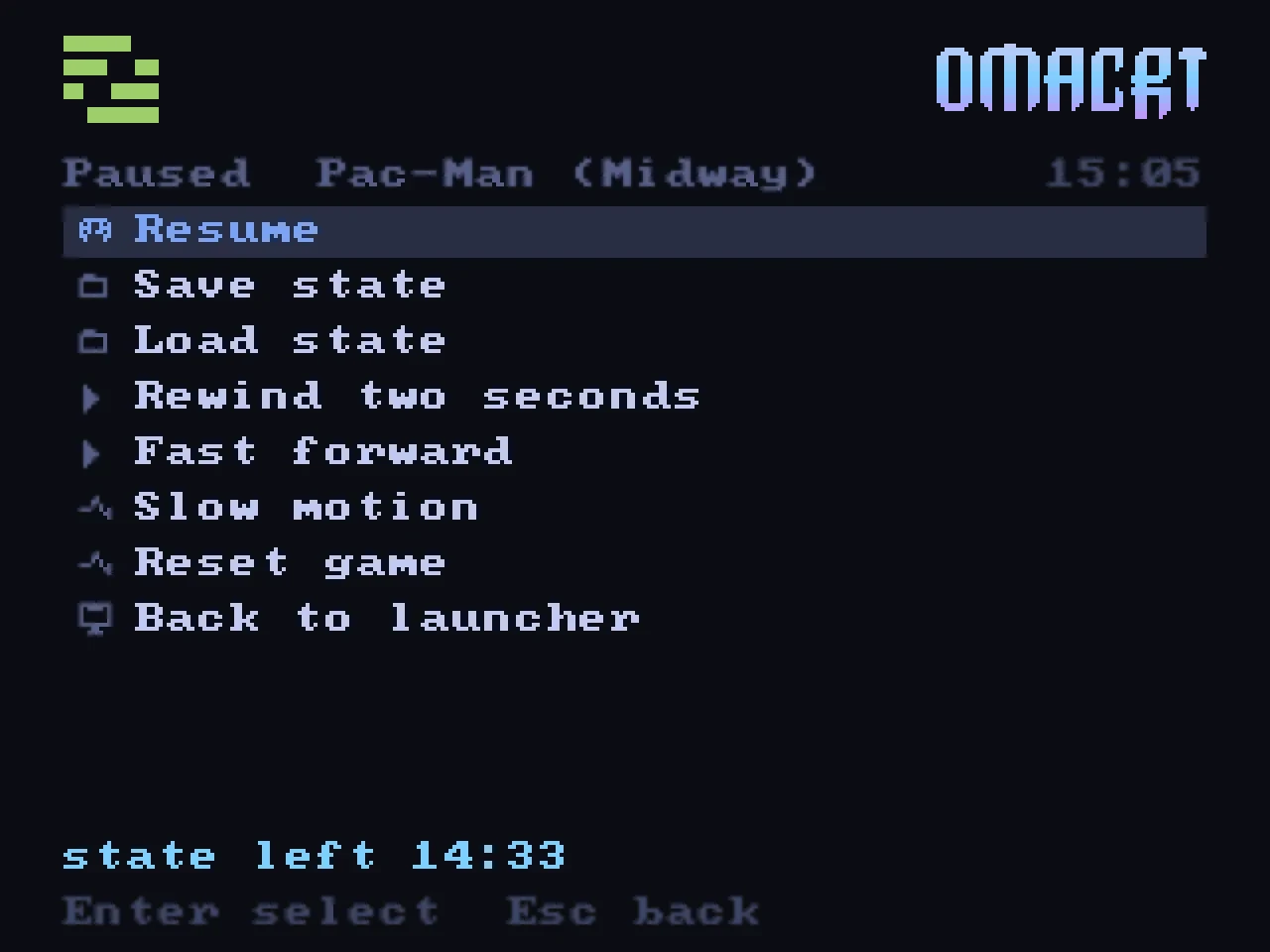
When a game starts, the launcher animates a cartridge insertion or a spinning CD, plays a sound and collapses the picture to a line. The emulator then starts at the system’s configured line count. If a saved state exists, choose whether to resume it or start fresh without overwriting it. All games play at the same loudness, because the launcher sends their sound through a leveller.
Arcade games
Arcade lists show the title of each set. If the RetroArch databases do not know a set, the title comes from the machine list that MAME publishes. The launcher downloads that list once for each MAME version.
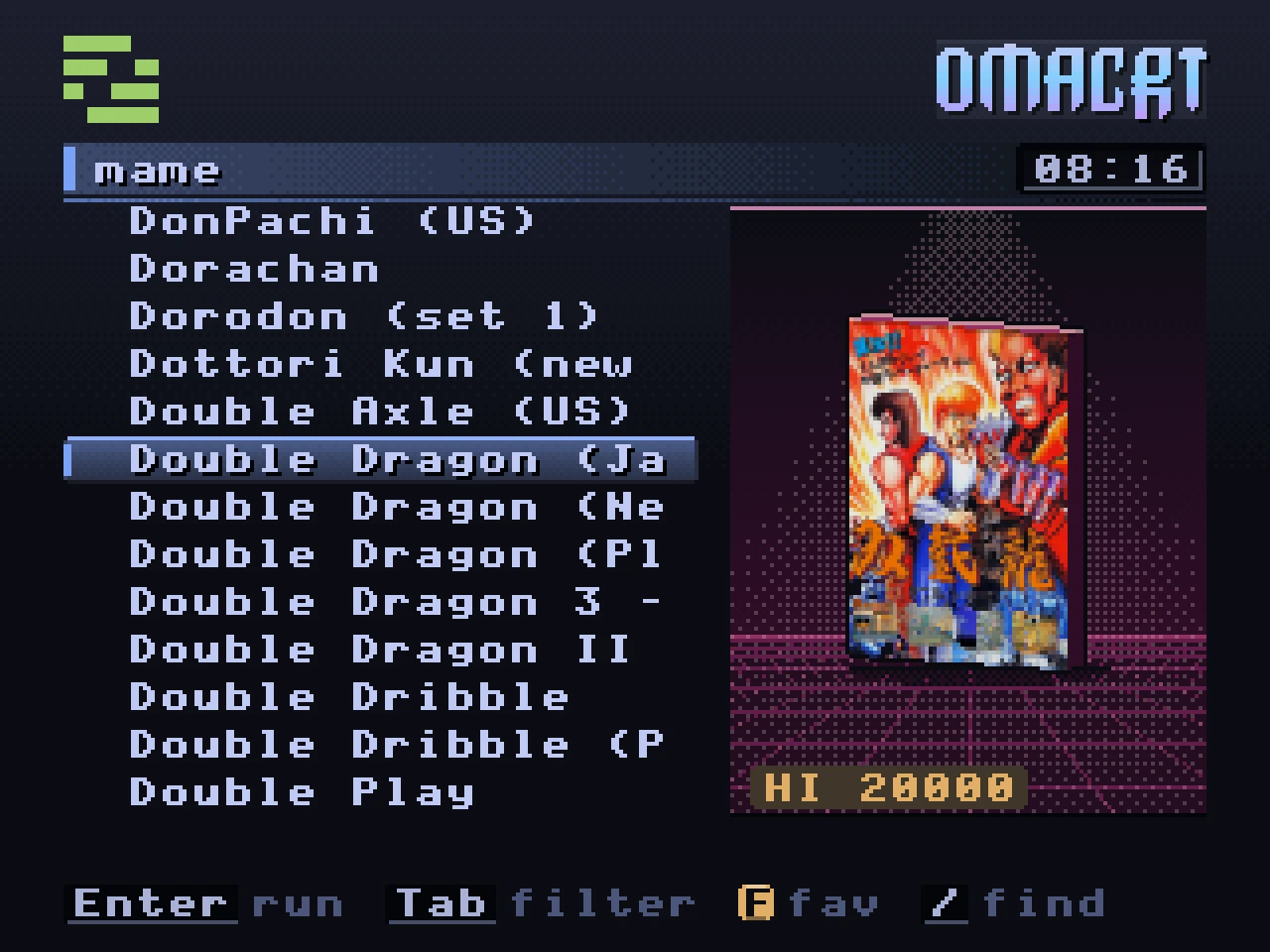
If the libretro thumbnails have no box art for an arcade game, the cover is the original flyer of the game. The flyers come from the Arcade Database. If a set has no flyer, the launcher uses the flyer of its parent set, or the title screen.
Press the right trigger on an arcade list to open the filters. You can filter by screen orientation, number of players, controls, emulation status and clones. The launcher keeps your filters between sessions. The emulation status filter does not hide a game that you played.
MAME and FinalBurn Neo save the high score table of a game when the game closes. The launcher reads the top score from this table and shows it under the flyer, for example HI 20000. The hi2txt project describes how each game stores its scores, and the launcher downloads the description of a set when it first shows the set. If a game stores its scores in a way that the launcher cannot read, the launcher shows no record.
Sega Model 3
Sega Model 3 games use Supermodel instead of RetroArch. Supermodel draws the 3D scene at the 240 lines of the television, so the picture is not reduced from the 384 lines of the arcade board. The television runs at the board rate of 57.524 Hz.
To play Model 3 games:
- Build and install the Supermodel package that comes with OmaCRT:
cd packaging/supermodel-omacrt && makepkg -si. - Put the sets in one folder with the name
model3orarcade_model3. - Scan the library.
Keep the parent sets in the same folder as their clones, because a clone loads the shared files from its parent. On the first launch, the launcher writes a control file for a pad. Select inserts a coin, the left stick and the d-pad steer, and the triggers are the pedals. Press Select and Start together to stop the game.
Scud Race and Daytona USA 2 expect a second cabinet. Before each launch, the launcher sets these games to one cabinet. The first launch of each game still shows a network error, because the setting does not exist yet. Stop the game and start it again.
Play time and achievements
The launcher records the time that you play each game. The time shows under the cover of the game. The play time page ranks the games that you played most, like the high score table of an arcade cabinet.
RetroArch can earn RetroAchievements for you. To use them, write the file ~/.config/omacrt/retroachievements.toml with these keys:
username = "your name"
password = "the password of your account"
api_key = "the web API key from the settings page of the site"
hardcore = false
Set the file mode to 600. RetroArch logs in with the user name and the password. The launcher reads your progress with the API key and shows it under the cover of a game, for example RA 12/32. B shows that you beat the game, and M shows that you mastered it. Hardcore mode stays off, because it disables save states and rewind.
Music
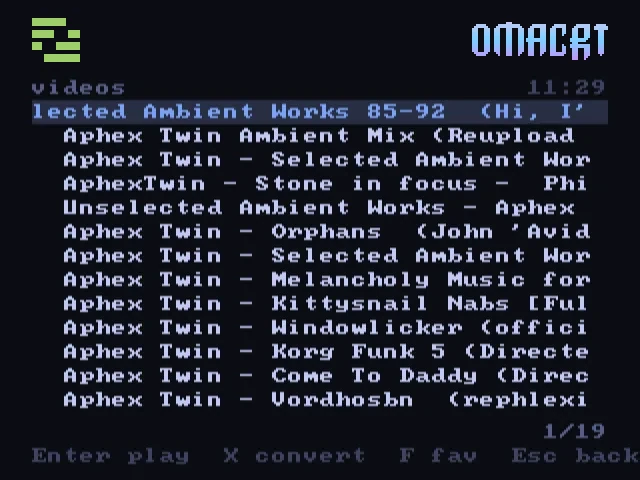
Music playback uses cliamp, by bjarneo, a separate program from both Omarchy and OmaCRT. If installed, the launcher starts it as a daemon and communicates over a socket. Configure providers with cliamp setup. Radio Browser stations, Spotify, YouTube Music and other configured sources are then available on the television. Playback can move between the desktop and CRT.
The now-playing screen displays a cassette deck, a radio dial and two animated VU meters. The reels move during playback, and the dial moves to the selected station with a burst of static.
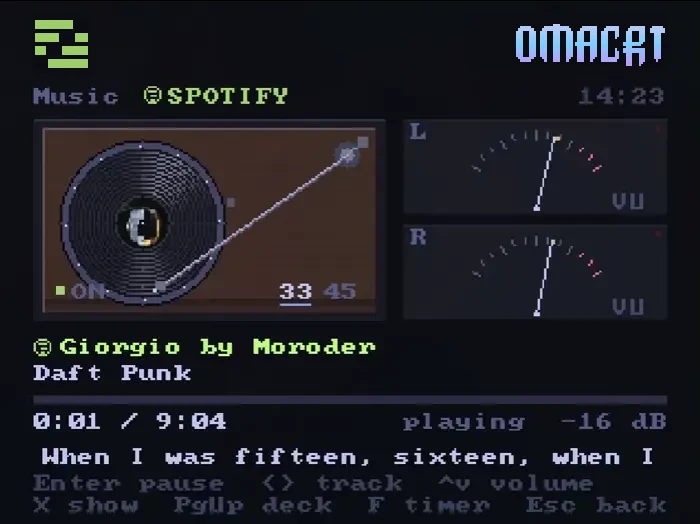
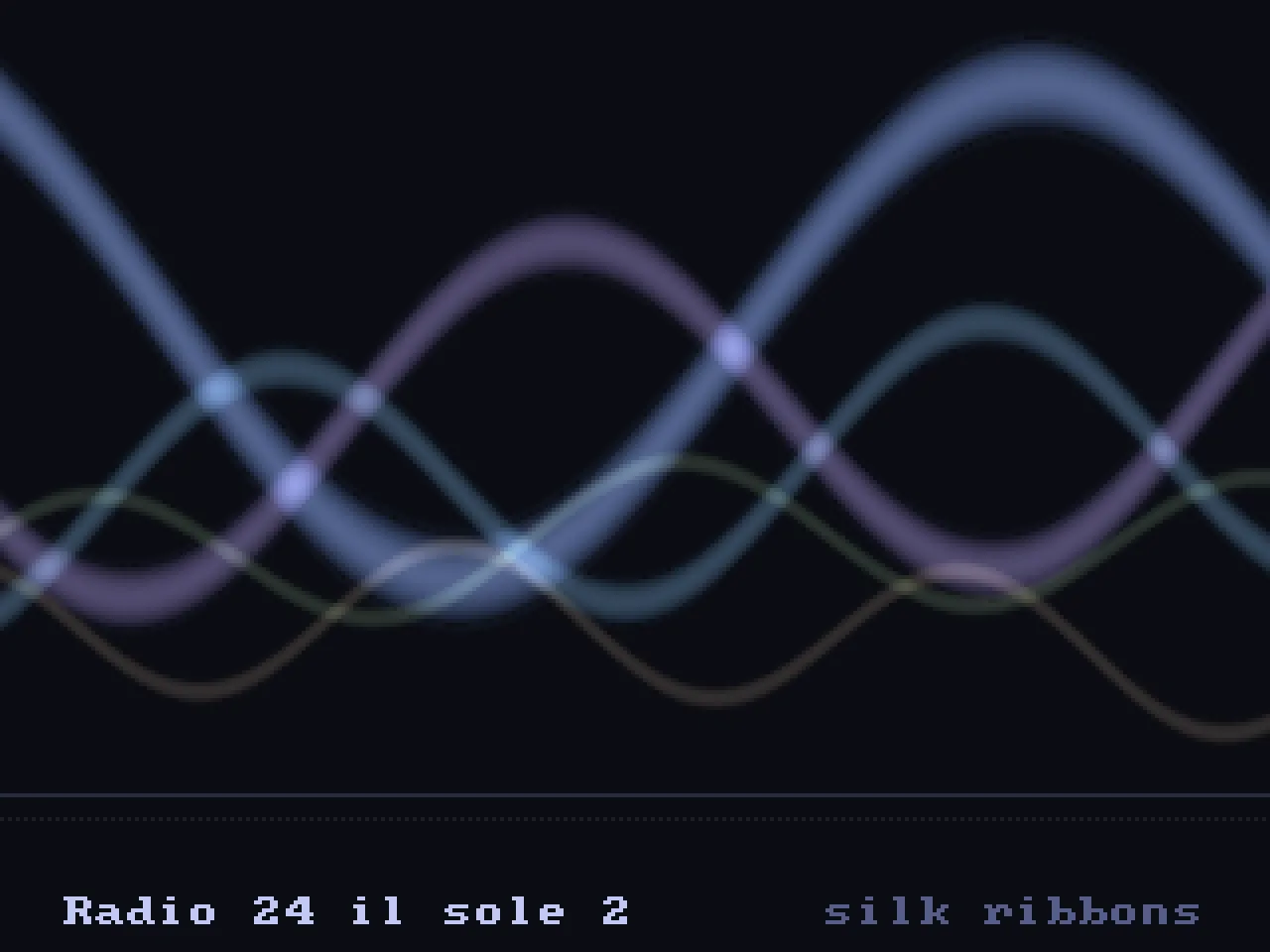
After six idle seconds, playback switches to a visualiser driven by cliamp’s spectrum and a kick detector. There are seven choices: Mode 7 equaliser, silk ribbons, oscilloscope, starfield, plasma, pixel fire and spectrum tower. Synced lyrics appear when supplied by the provider. List selection bands also pulse with the beat.
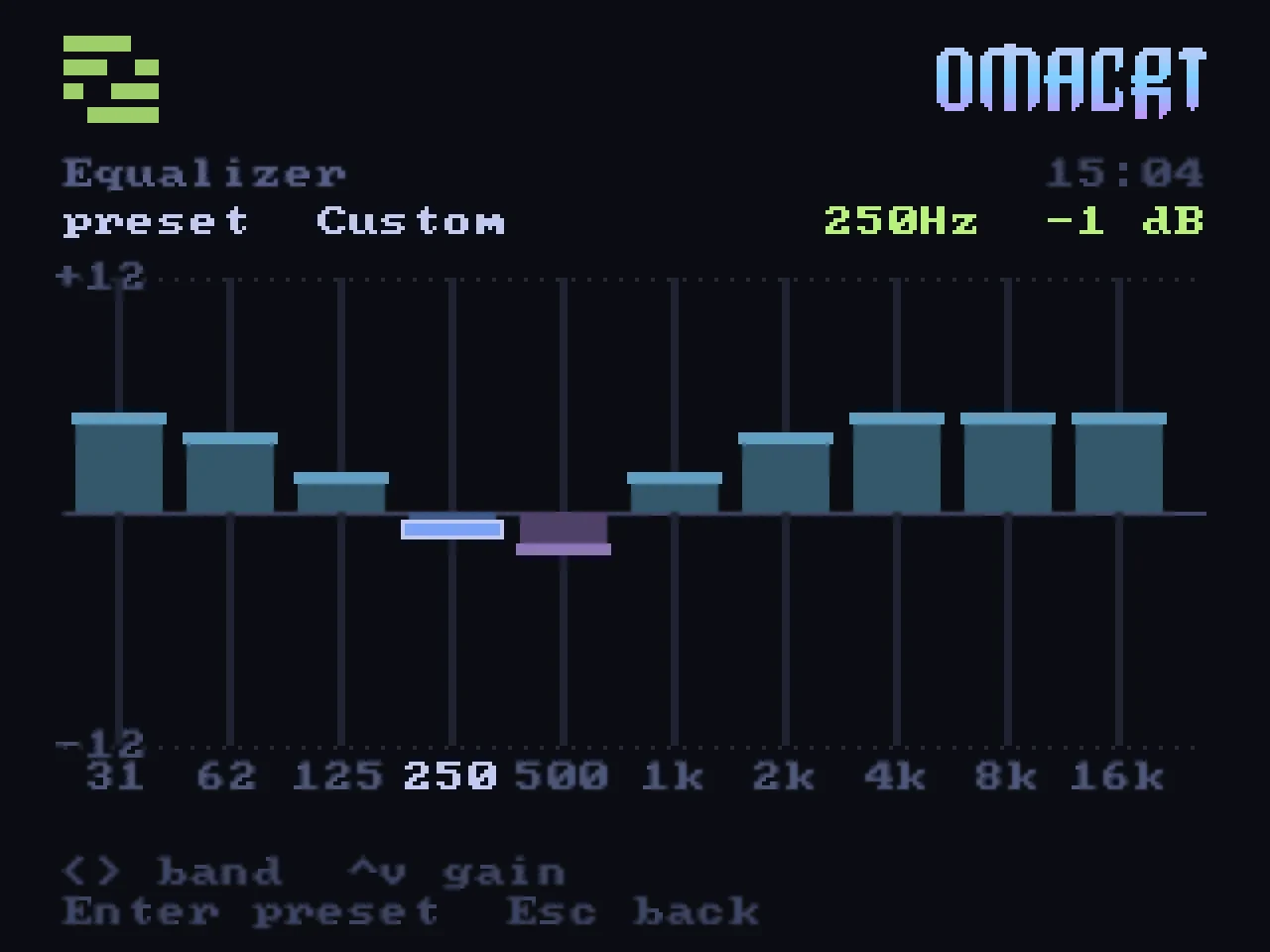
There is a ten band equaliser as well, moving the engine's own bands a decibel at a time.
Video and YouTube
Local video plays through mpv with an on-screen display in the current theme. The video-fit pipeline includes 480i or 576i selection by frame rate, pulldown or PAL speed-up for film, letterboxing, cropping and a safe area. The stock-kernel setup currently uses progressive output because interlace is disabled; see The signal.
The safe area is zero by default, because the shipped 15 kHz lines already carry the blanking that keeps a picture inside the glass. If your set hides more of the picture than that allows for, omacrt shell safe N leaves N per cent of the width black on each side while the menu is up, so the number can be found by watching the screen. The launcher takes the same setting as --safe N.
For YouTube, search on the television, open Watch later or Recently watched, use the desktop clipboard link, or run omacrt watch URL. Streams are fetched at 480p and fitted to the television output.
Idle screens
Choose an idle screen for when no game or video is running.
The weather screen uses local sunrise, sunset and wind data. The sun crosses the sky during the day and the moon follows at night. Clouds move with the wind, and rain slants in it. Snow, fog and lightning reflect the conditions. The town’s windows light up after dark. Gradients use ordered dithering. Sometimes the screen shows a short homage to a painting by René Magritte, for about 25 seconds.
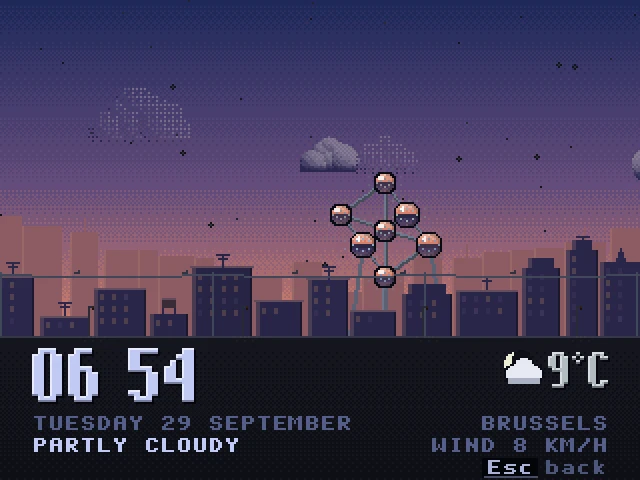
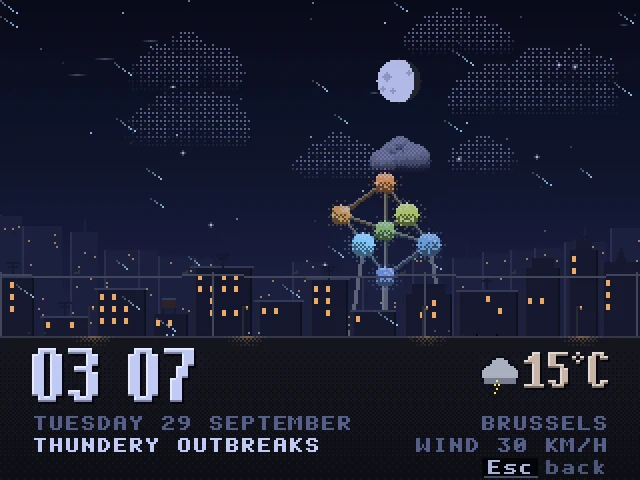
Optional weather audio is disabled by default. It includes rain, wind, thunder, daytime birds and nighttime crickets. The sounds are synthesized, sampled at 8 kHz and quantised for the launcher’s retro sound.
The photo frame reads from an Immich server on the local network. Choose memories from the same day in earlier years, an album or favourites. It displays available place, date and face information. Full-screen images pan by one pixel per frame; portrait images fit over a blurred copy. Photos stay on the network, and a prepared local cache allows playback while the server is unavailable.
The system monitor reads /proc and /sys. It shows a meter for each logical processor, memory and graphics use, a minute and a half of load and network history, and the busiest processes. The meters rise quickly and fall slowly.
The art gallery shows three paintings by René Magritte, redrawn in pixels. Each painting moves a little. A new painting comes up every 40 seconds. Press left or right to change the painting.
Select one idle page or rotate several at a configured interval. There are five pages available. When music starts, the visualiser takes over.
Library scanning
The library scanner reads file extensions, folder names, disc-image signatures and names inside zip archives. You can keep your existing file and folder names. Regional variants are grouped under one title, and systems appear in the menus when they contain games.
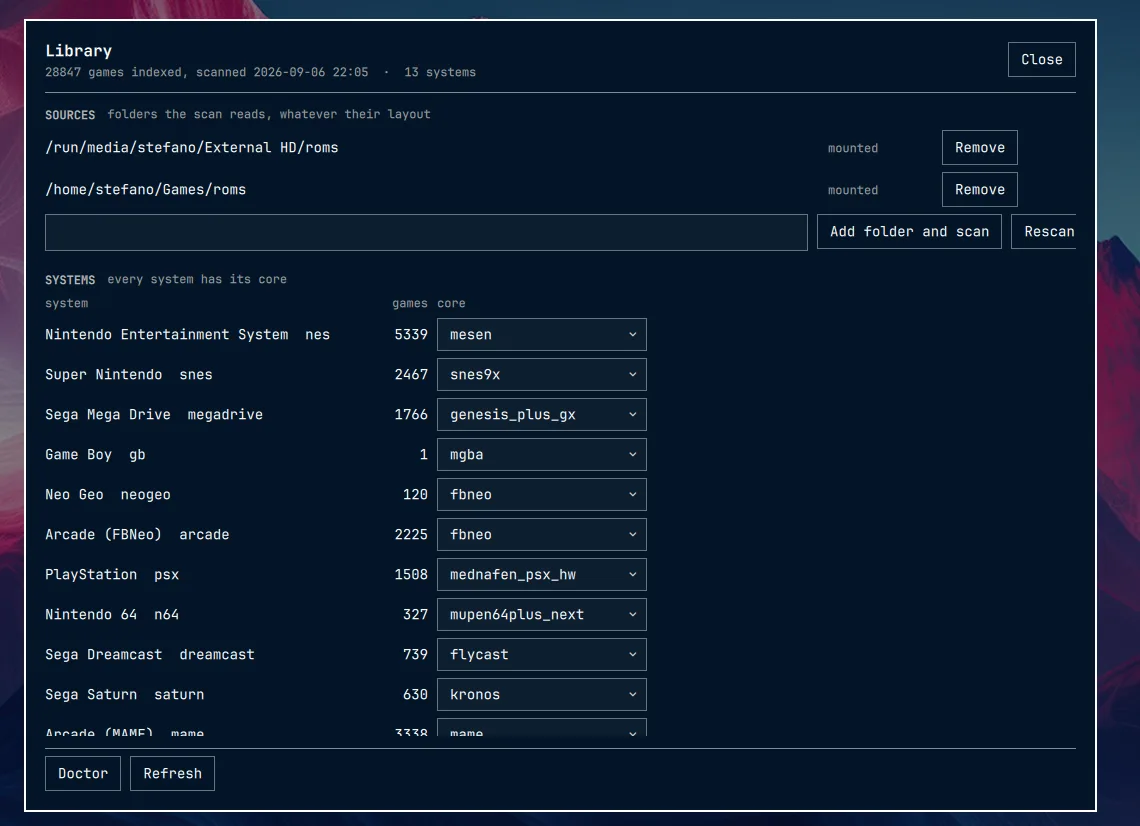
The library overlay is an Omarchy Quickshell plugin. On the desktop describes its integration.
Interface sounds
The launcher synthesizes its interface sounds at startup, including clicks, whooshes, crackles and scrapes. It includes no audio files or background music.