The log · 18 September 2026 · note
Getting controllers to behave in OmaCRT
Bluetooth could report success after a failed pairing step. A controller could confirm on A in a game and B in the launcher. Fixing those problems led to a new pads screen on the television and controller controls in Quickshell.
conditions
- versions
- OmaCRT 0.9.0 and 0.10.0, released on 17 and 18 September 2026
- scope
- the launcher, RetroArch integration and Quickshell plugins
- testing
- one machine and the controllers connected to it
A controller could work in OmaCRT's menus and behave differently once a game opened. On a Sega-style pad, the button marked B confirmed in the launcher while A went back. Bluetooth had a separate problem: the launcher could announce a connection after an earlier pairing step had failed.
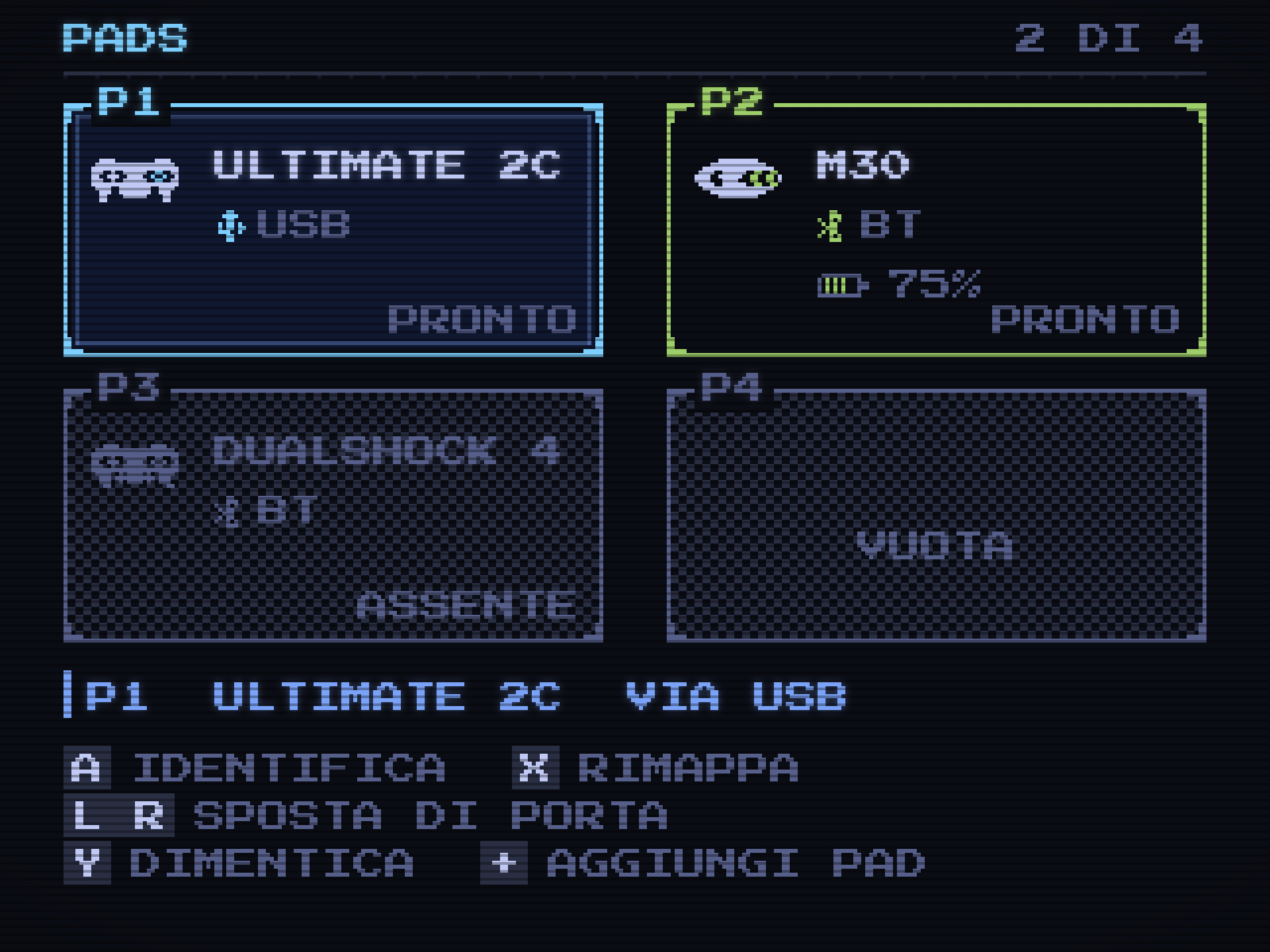
In 0.9.0 and 0.10.0, we changed how the launcher connects a pad, remembers it and hands it to RetroArch. The new pads screen brings those changes together on the television.
01Checking what Bluetooth actually did
Connecting a Bluetooth controller involves three commands: pair, trust and connect. The old code discarded the results of the first two and reported the result of the third. If pairing failed, the screen could give a misleading account of what had happened.
Each step now has its own deadline and its result is checked before the next step starts. A failure names the step and shows the reason Bluetooth returned. The player can retry or cancel from the controller already in hand.
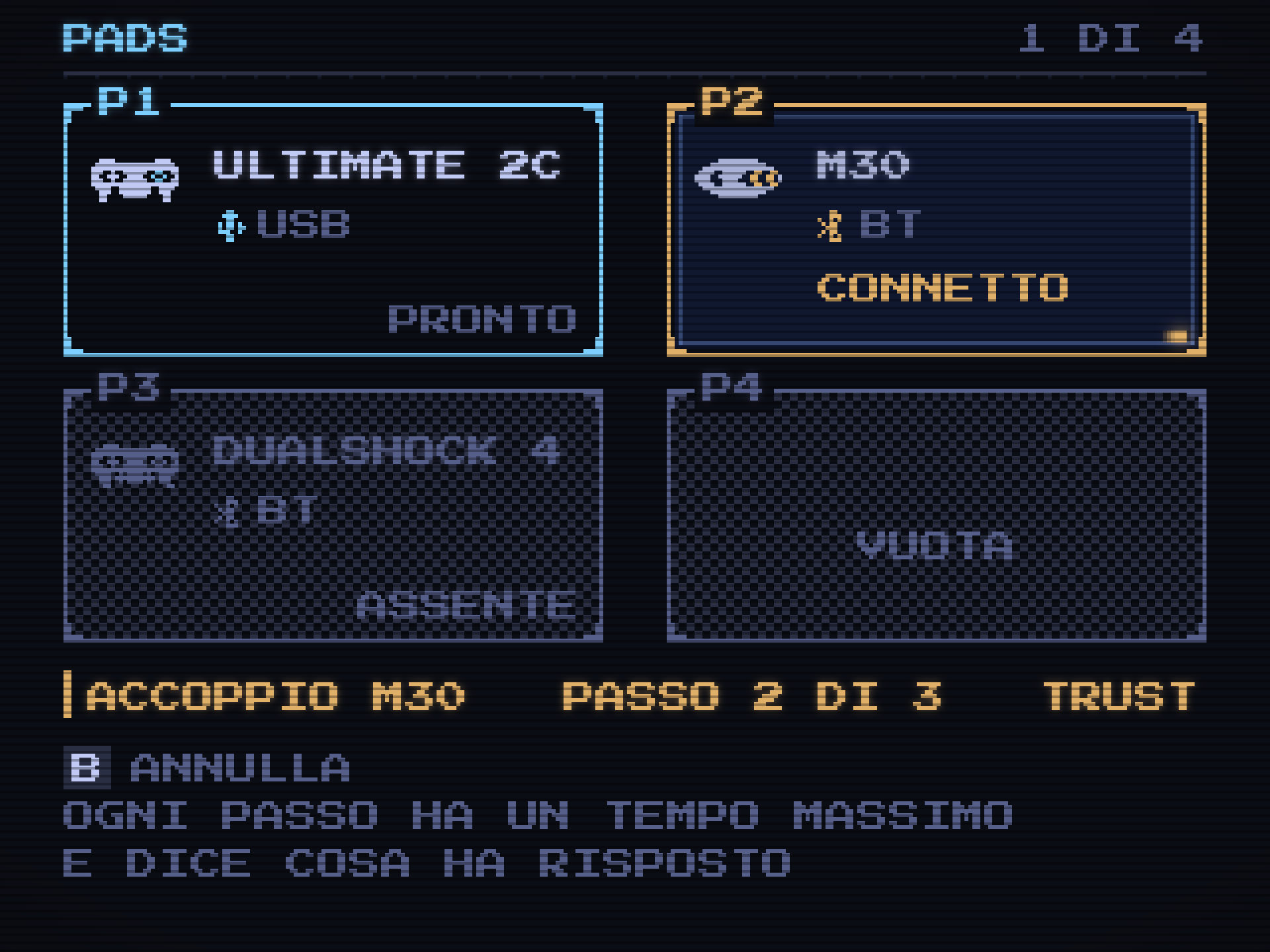
The search also needed to keep running when the player left its screen. Previously, progress depended on that screen being drawn. Moving the work out of the drawing path lets the interface stay responsive while discovery or pairing continues.
A failed connection now leaves a specific step and an error to investigate.
02A model name does not identify an individual pad
The names devices report are awkward on a small screen. “8BitDo Ultimate 2C Wireless Controller” does not fit in a twelve-character label. Cutting it after twelve characters leaves “8BitDo Ultim”, which loses the part that identifies the model.
The short name now drops generic words first, then the maker where necessary. The television can show “Ultimate 2C” or “M30”, alongside the connection type. Battery charge appears only when the kernel supplies it.
Remembering the device requires more than a readable name. SDL gives us an identifier shared by controllers of the same model. To distinguish individual units, OmaCRT also reads a Bluetooth address or USB serial from sysfs, the kernel's device information.
Some controllers provide neither. Two identical pads without an individual identifier remain ambiguous, and the interface says so. Assigning them reassuring labels would not give us a reliable way to recognise them next time.
03The letter on the button
The launcher reads controllers through SDL. RetroArch has its own controller profiles. Their names for buttons do not always match, so a mapping that works in the launcher needs translation before a game can use it.
The Sega-style layout exposed another difference. SDL names face buttons by position. On a Mega Drive or Saturn-style controller, the button in the southern position can be marked B. Treating SDL's A as the printed A made the launcher confirm on B, while RetroArch used the expected letter inside the game.
OmaCRT now reads the button labels from the RetroArch profile for that controller. It swaps the pair when that profile establishes the mismatch. Without a matching profile, it keeps SDL's mapping instead of guessing from the device name.
The existing mapping wizard still handles unknown controllers. That path needed fixes too: a second unknown pad arriving at startup could cancel the first pad's mapping request, and unplugging a controller during mapping could leave the wizard waiting for input from a device that had gone.
04Giving the controllers somewhere to go
The television screen now has four visible sockets. Each shows the controller assigned to it, with different states for a connected pad, a remembered pad that is switched off, and an empty socket.
Switching a pad off should not erase the player's arrangement. A newly discovered controller goes at the end of the saved list. The shoulders move the selected controller through that order, and Identify makes it vibrate, where the controller supports rumble.
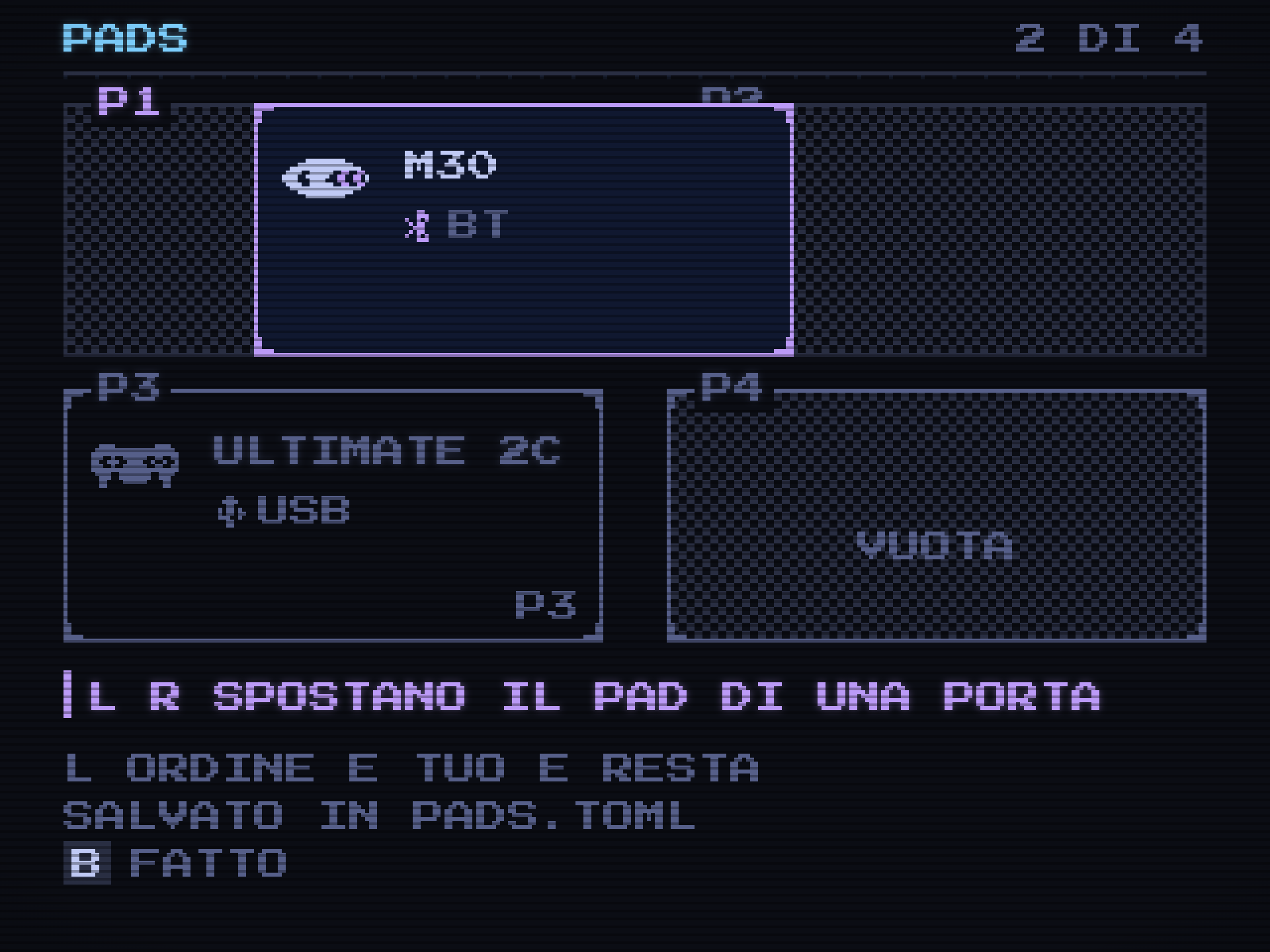
The order lives in pads.toml. When a game starts, the connected controllers receive player ports in that order; disconnected controllers are skipped. If the first controller is off and the second is on, the second becomes player one for that launch. The saved order remains intact.
RetroArch fixes those assignments when it starts, so rearranging the list affects the next launch. OmaCRT writes the requested player indices, then reads RetroArch's device enumeration from its log to check the result. If they disagree, the launcher reports the mismatch.
Testing the screen uncovered a more basic inconsistency: its header could count two connected controllers while the sockets showed one. Two copies of the list were overwriting each other. Fixing the display meant fixing how that state was held.
There were smaller input bugs along the way. Unplugging a controller with its stick held could leave the menu scrolling. Controllers present before startup followed a different discovery path and were not being saved. Discovery at startup now records controllers in the saved list too.
05Managing them with the television off
Once the television could show and rearrange its controllers, the desktop panel needed access to the same information. The Quickshell panel now lists the pads, their connection state and controls for moving or forgetting them. Its Pads button opens the four-port overlay.
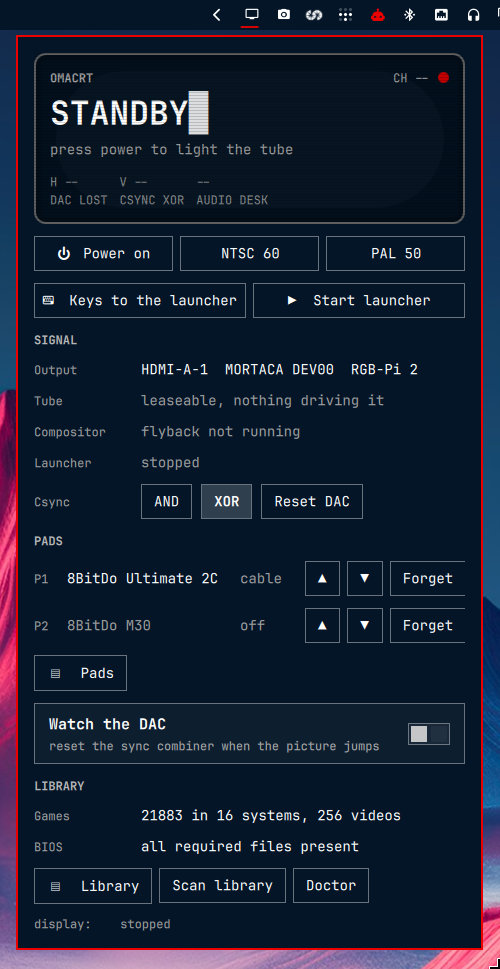
The overlay has room for details that would crowd the television: the device identifier, RetroArch's index and information about the face-button mapping. It also provides Identify and the ordering controls.
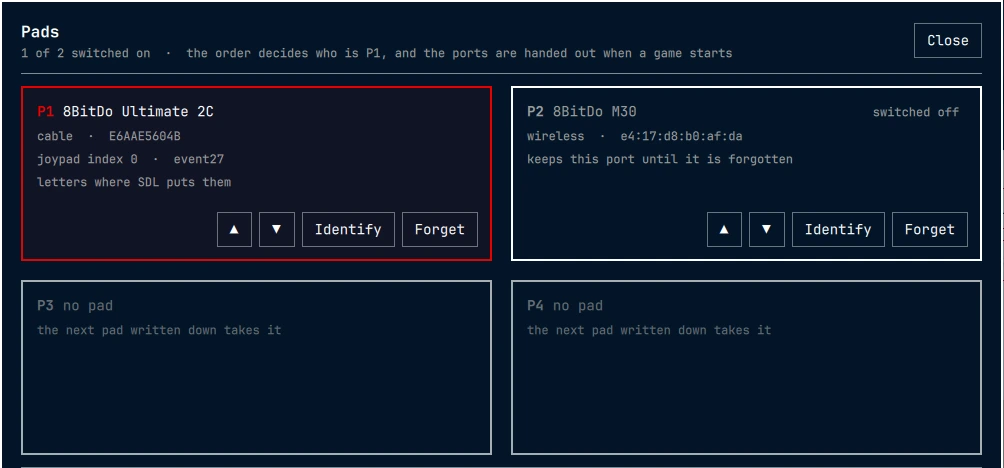
The two interfaces must not overwrite each other's changes. While the launcher is running, desktop actions ask it to update the order and save the file. When it is stopped, the command-line tool edits the file directly. This keeps a single writer responsible for the saved order.
There was a deployment problem here too. Updating the plugin files did not replace the QML already loaded in the desktop shell. The installer now restarts the shell to load those changes, or reports that a restart is needed when the session is locked.
06What still needs testing
This work has been tested on one machine with its connected controllers. Other models may expose different mappings or omit the identifiers needed to tell identical units apart. Battery reporting and rumble also depend on what the device provides.
The pads chapter in the manual covers the controls and commands. The implementation changes are in 0.9.0 and 0.10.0. A useful next test is another person's controller, particularly one that behaves differently between the launcher and a game.